

Observation
Using voice will dramatically increase our productivity. The shift I’ve made is this: Let the human brain focus on creating the context and let AI do the formatting.
This exists on a spectrum: from the “fancy” side using Wispr Flow — which helps with formatting and removing the “ums” and “ahs” — to the basic voice input on an iPhone, Mac, or Windows, or even the quick microphones built directly into LLMs.
So What?
This is important for a few reasons:
- Capture the Spontaneous: Ideas come spontaneously, but they also leave real quick. As David Allen says in Getting Things Done, the most important thing is to capture them.
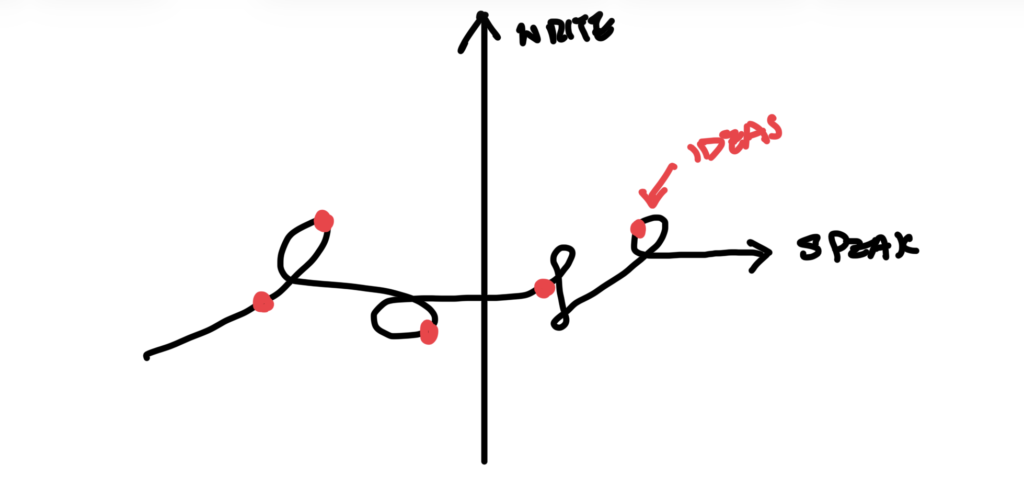
- Connecting the Dots: When we speak, we have these random dots of thoughts in our brain. What we’re really doing is trying to connect those dots and weave through them while we talk.
- The Bottleneck of Writing: When we write, we must synthesize; we have to think through the dots first before we can format them in a way the recipient understands. My point is to let the human focus on the “dots”—because that’s the idea, the point of view, and the creativity that makes us human—and let AI handle the structuring of that information.
How?
To get started, you need two things: a voice input method and a processing medium.
Audio capture hardware and software
For the software, I recommend Wispr Flow. Even if it’s the free version, just try it out and abuse it. For mobile or desktop, use the native shortcut keys (macOS, Windows) or the microphone built into the LLMs.
On the hardware side, my recommendation is the $19 Apple Type-C EarPods.

- Reliability: Since it’s a wired connection, you don’t have to worry about Bluetooth connection or battery life.
- Introvert-friendly: You can hold the microphone really close to your mouth. This allows you to literally whisper and be shy (which is very okay).
Map to iPhone Action Button
If you’re on iPhone, create an Action Button on your phone that links voice input to your to-do list. When you have an idea, capture it quickly and revisit it later to see if it’s worth a deep dive.
Format and structure processing
On the processing part, use Claude Skill or Gemini Gem or whatever is the equivalent on your LLM of choice. You ask the AI to process whatever you input and output it in a siloed, isolated, structured format.
Use my Claude prompt. Or use this Gemini Gem.
By separating the capture from the process, you ensure that the moment an idea hits, you have the equipment and the workflow ready to turn those raw “dots” into a structured reality.